


Fingerprint access can be useful in an office, especially when staff need quick entry without sharing physical keys. An upgrade from a traditional key lock to fingerprint access can make entry faster: fingerprint door locks open in less than one second, and most can store between 50 and 100 fingerprints. The right fit depends on how your office manages access and what backup method is available.
It’s reasonable to want better security without adding friction to the workday. A fingerprint lock scans a person’s fingerprint and grants access when it matches an authorised user. Alternative entry methods can help if the scanner does not recognise someone. For an office, weigh convenience against user access needs and what happens when fingerprint entry is unavailable.
This guide explains how fingerprint authentication works, how quickly locks respond and what to consider before replacing a key lock. You’ll also learn when fingerprint access makes sense for an office, which backup options matter and how door compatibility affects the decision.
Key Takeaways
- Assess how staff enter the office and choose a backup method that keeps access practical if a scan fails.
- Understand how biometric recognition compares a scanned fingerprint with enrolled access credentials before unlocking.
- Learn why the thumb or index finger is often recommended for clear, convenient scans.
- Consider how fingerprint access will work as staff access needs change over time.
- Check that the lock suits the door and the office’s day-to-day access needs.
1. Is It Useful for Offices Too?
Fingerprint access can suit an office where several authorised people need to enter without sharing a physical key. When comparing fingerprint-enabled digital door locks, check which other entry methods each model supports. Options may include a PIN code, RFID card, mobile app, or mechanical key, depending on the model. The practical difference is how each method handles routine entry and a failed scan.
For a small office, a fingerprint lock with a PIN gives staff another way to unlock the same door. An RFID card can serve as a fallback if a fingerprint is not recognised. Mobile access may suit a workplace that wants to manage entry through a supported app. These methods work differently: a PIN must be entered, a card presented, and fingerprint access requires a successful scan.
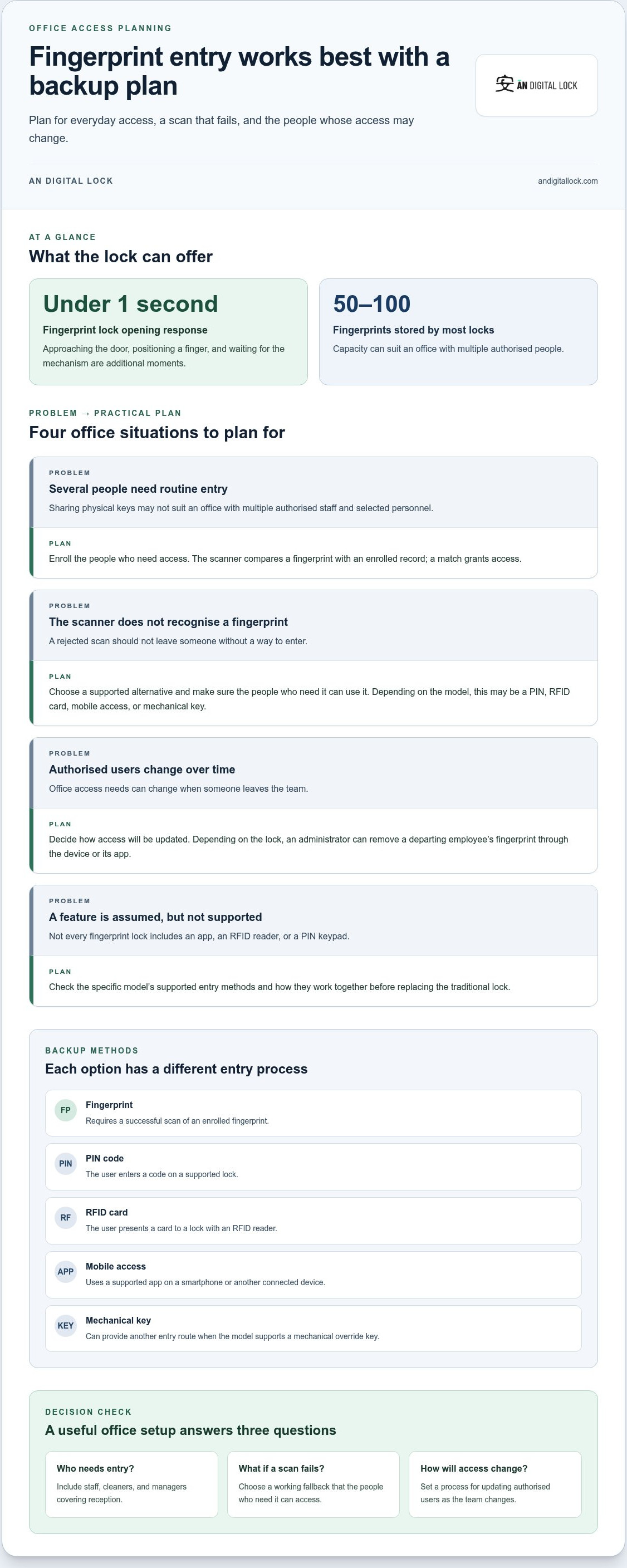
Plan the backup before replacing a traditional key lock. Identify everyone who needs entry, including staff, cleaners, and managers covering reception. Decide which supported alternative they can use if the scanner does not recognise a fingerprint. Also establish how access will be updated when someone leaves the team. PINs, cards, and app access each involve a different way to manage authorised users.
Mobile access can add another way to manage office entry, but it is useful only if the workplace plans to use it. A manager might prefer app-based access, while staff use fingerprints at the door. Check the specific lock’s supported access methods and how they work together. Do not assume every fingerprint lock includes mobile access, an RFID reader, or a PIN keypad.
Fingerprint access is most useful when the office has a clear plan for routine entry and exceptions. If a scan is rejected, the person needs a working alternative rather than a locked door. For multiple authorised users, choose a setup that suits how people enter and how their access changes. Make sure the backup method is available to the people who need it, not only to the person who installed the lock.
Is a fingerprint door lock useful for an office? It can be, when its access methods match staff needs and there is a practical fallback for recognition problems. Compare fingerprint entry with models that also support a PIN, RFID card, or app access. This helps you judge whether upgrading from a traditional key lock to fingerprint access will simplify entry without leaving staff stuck when a scan fails.
Available options include fingerprint-only locks and models that pair fingerprint recognition with a PIN, access card, or mobile access; some also connect to smart devices. They differ in their backup and entry process: a PIN is entered, a card is presented, and mobile access uses a smartphone or another connected device, while fingerprint entry depends on a successful scan.
2. What is a Biometric Door Lock?
A biometric door lock uses a physical characteristic, such as a fingerprint, to decide whether to unlock. For fingerprint access, the scanner reads a finger and compares it with an enrolled fingerprint. If the scan matches an authorised user’s stored record, the lock grants access. This replaces the physical key with a biometric credential.
Most fingerprint locks can store between 50 and 100 fingerprints. That capacity can suit an office where authorised access is needed for employees and selected personnel. Fingerprints are unique and generally harder to guess than passwords. They also help prevent unauthorised key duplication, since entry depends on a recognised biometric credential rather than a copied key.
For office use, enrol only people who need access. Depending on the lock, an administrator can remove a departing employee’s fingerprint through the device or its app. Fingerprint access can reduce key-sharing, but you still need a plan for scans the lock does not recognise. If the model supports it, a PIN, RFID card, app, or mechanical override key can provide another entry route.
For an HDB flat or condominium, treat the door and lock as separate considerations. Establish any applicable HDB, condominium-management, or landlord conditions before changing the lock. If the door is fire-rated, preserve its required function and consider how the proposed hardware affects the complete door assembly.
The cost of upgrading depends on the lock you choose and the work needed to fit it. Access methods, compatibility with the existing door, and any required adjustments can all affect the total. Check the product price and installation terms for the specific option you are considering.
An existing HDB or condo door can retain its place if the fingerprint lock fits its construction and lock preparation. Before buying, measure the door thickness and existing lock positions, then compare them with the lock’s fitting requirements. Check the door material, available space, and latch alignment. Wood, glass, and metal doors may each need a different compatibility assessment.
Installation follows a practical sequence: assess the door, match the lock, fit the hardware, then test fingerprint enrolment and each supported entry method. Labour charges depend on the door’s condition, compatibility, and whether adjustments are needed. These job requirements, rather than the fingerprint feature alone, shape the installation work.
Warranty and after-sales support depend on the lock brand and model. Compare the written terms for hardware and installation, and understand the stated process for service or repairs. For office use, also plan how staff access will be updated when authorised users change. This makes biometric access easier to manage after installation.
3. Fingerprint recognition speed
Fingerprint door locks open in less than one second. That figure describes the lock’s opening response, not every moment at the doorway. A person still needs to approach, position a finger, and wait for the mechanism to release. For example, an office visitor may take longer overall if they pause to find the scanner. The keyless benefit is avoiding the separate steps of finding and turning a physical key.
Think of the process in stages. First, place an enrolled finger on the scanner. Next, the lock reads the fingerprint and checks it against stored access credentials. If it recognises the match, it releases the lock. The stated less-than-one-second opening time makes this sequence quick once the scan is accepted, but it doesn’t remove the time needed to position a finger correctly.
The difference is clearest during routine entry. An employee arriving with a bag can use an available finger instead of setting items down to retrieve a key. A colleague can then scan their own enrolled fingerprint. Entry time will still vary, since each person needs to position a finger on the reader.
A rejected scan changes the entry process. The person may need to reposition their finger and try again, or use another method supported by the lock. A PIN, RFID card, or mechanical override key may provide an alternative. Decide who can use each fallback and make sure they know how, so a fast response is not the only measure of practical access.
When comparing digital door locks, distinguish the scan and unlock process from the whole entry routine. Consider what happens after a successful scan and how staff approach the reader during normal use. Even a responsive lock can feel awkward if the scanner is poorly positioned at a busy entrance. Test finger placement and handle movement as one continuous action.
For a practical check, try the sequence with each authorised user: approach the door, place an enrolled finger, wait for release, and open it. Then repeat using the supported backup method. This reveals whether the entry routine suits the office’s daily flow. The less-than-one-second opening figure is useful, but the complete experience also depends on scan acceptance, finger placement, and how quickly the user can move through the doorway.
4. Fingerprint selection and scanning
Choose a finger that feels natural on the scanner. The thumb or index finger is often practical because it is easy to position for a scan. For each office user, the best choice is the finger they can place consistently without twisting their hand. A comfortable, repeatable position makes everyday use simpler and helps avoid awkward angles.
During setup, enrol the chosen finger according to the lock’s instructions. Place it on the scanner as you expect to at the door, and keep it steady while the device records it. Then test recognition with the door open and closed, from a normal standing position. This helps show whether the scanner is comfortable to reach during ordinary entry.
Consider enrolling a second suitable finger as a backup if the lock allows it. For example, a staff member could use an index finger for routine entry and a thumb if the first choice is uncomfortable. Test each enrolled finger rather than assuming everyone will use the scanner in the same way.
Test recognition with each authorised user before relying on the lock for daily office entry. Ask each person to scan their enrolled finger, then approach the reader as they normally would. If a scan fails, try placing the finger more squarely on the reader. Keep the test realistic: someone carrying a laptop may approach differently from a person with both hands free.
Depending on the model, fingerprints can be added or removed through the lock or its app. This gives an office a way to update access when staff responsibilities change. For example, an administrator can remove a departing employee’s fingerprint and enrol an authorised replacement. Follow the device instructions and limit access changes to the people responsible for managing entry.
Before relying on the lock, test the selected fingers in ordinary entry situations. Check that the scanner is easy to reach and that every authorised person can use their enrolled fingerprint. If the lock supports another access method, test that too. A considered finger choice and a simple enrolment check help make the scanner useful for the people who depend on it.
5. How fingerprint door locks authenticate users
A fingerprint door lock uses biometric recognition to scan and match a person’s fingerprint before granting access. The reader captures a scan, then compares it with an enrolled fingerprint. A match authorises entry; a mismatch doesn’t. Unlike traditional keys, this process checks whether the person presenting a finger has an enrolled credential, rather than whether they possess a physical key.
Think of fingerprint authentication as a comparison, not a photograph-based identity check. During enrolment, the lock records a fingerprint reference for an authorised user. At the door, the scanner reads the presented finger and checks it against an enrolled record. The lock grants or denies access based on that comparison. Follow the specific device’s setup instructions.
This distinction matters for office access. A manager can enrol staff who need to enter and remove a former employee’s fingerprint when their access should end. This changes who can authenticate without collecting a physical key. The office still needs a clear process for deciding who is authorised and managing those changes.
For a useful setup, test authentication with every enrolled user. Ask each person to scan the finger they registered, using the position they would naturally use at the entrance. If the lock rejects a scan, have them reposition their finger and try again. A supported PIN, RFID card, app, or mechanical key may provide another entry route when fingerprint matching fails.
Authentication depends on updating the right user record. If an administrator removes the wrong fingerprint, that person may lose access while another remains authorised. Make each change deliberately: identify the user, update the correct record through the lock or its app, and test the change. Restrict this task to whoever manages office access.
Keep the scanner clean according to the lock’s care instructions, and avoid cleaning products unless its manufacturer permits them. Battery duration depends on the lock’s design, battery type, and frequency of use. Follow the device manual for battery replacement and maintenance guidance, rather than applying one schedule to every model.
The key takeaway is that fingerprint access verifies an enrolled match, while traditional keys verify possession of a key. For office use, combine careful enrolment with a clear process for changing authorised users. Explore digital door lock options to consider fingerprint access for your entry needs.
AN Digital Lock: Digital Door Locks
AN Digital Lock sells Digital Door Locks for people considering a change from traditional keys. To explore fingerprint access, compare the available options with your entry routine, authorised users, and preferred backup method. Think through who needs access and what staff should do if fingerprint recognition fails. These practical details help you focus on a lock suited to how your space is used, rather than choosing by feature list alone. Explore the digital door lock options and contact AN Digital Lock to discuss your requirements.
Plan the Next Step for Your Office
Before choosing a lock, map how people move through your office each day. Consider who needs entry, which doors require controlled access, and how the entrance fits the workplace. If you are weighing an upgrade from a traditional key lock to fingerprint access, let those priorities guide your choice rather than focusing on technology alone.
AN Digital Lock sells Digital Door Locks, Wooden Doors, and Metal Gates. This range lets you consider the lock alongside the entrance itself, especially if you are planning a wider door or gate update. A clear picture of your requirements is a practical starting point for comparing suitable options.
Contact AN Digital Lock today to discuss your office entrance needs. Take the next step toward an access setup that works for your space and your team.
Frequently Asked Questions
Why Upgrade to a Digital Fingerprint Lock?
A fingerprint lock can simplify everyday entry by removing the need to carry or hand over a physical key. It can also make access changes easier: when a staff member leaves, an administrator can remove their enrolled fingerprint instead of collecting a key. Consider an upgrade if key-sharing, misplaced keys, or frequent access updates create friction. Compare the lock’s supported entry methods with your existing routine before choosing.
Is It Useful for Offices Too?
Yes, fingerprint access can suit an office when its entry methods and user management match the workplace. A small team, for example, may want staff to enter without passing one key between shifts. Before adopting it, decide who manages access and what staff should do if a scan is rejected. A fingerprint lock is less suitable as the only entry route if authorised users have no practical fallback.
What is a Biometric Door Lock?
A biometric door lock uses a physical trait, such as a fingerprint, as an access credential. It compares a presented scan with fingerprints enrolled in its system, then grants or denies entry. This differs from a PIN, which relies on a memorised code, and a key, which relies on possession of a physical object. A biometric match authorises access; it does not establish a person’s identity for every purpose.
How secure are fingerprint locks compared with traditional key locks, and can fingerprints be spoofed?
Fingerprint access avoids the risk of someone making an unauthorised copy of a physical key, and fingerprints are extremely difficult to duplicate or steal. That doesn’t mean every lock offers identical protection or that fingerprint spoofing is impossible. Look at the whole setup: the lock’s other access methods, how authorised users are managed, and whether the hardware suits the door. Keep access limited to people who need it.
What happens if the fingerprint reader, battery, or electronic lock fails, and what backup entry methods are available?
If a scan fails, use an alternative supported by that lock, such as a PIN, card, mobile access, or mechanical override key. Keep the override key in an accessible backup location. For battery care, follow the lock’s instructions and check its battery condition regularly. If electronic access stops working, the available entry route depends on the lock’s supported backup methods.
What are the installation steps and typical labour charges for a fingerprint door lock in Singapore?
Installation involves assessing the door, matching the lock, fitting the hardware, and testing fingerprint enrolment and each supported entry method. Labour charges depend on the door’s condition, compatibility, and any adjustments required.